1. Introduction
Knowing Python is important, but it’s only part of the story. To work effectively with spatial data, you also benefit from a set of tools that work well together.
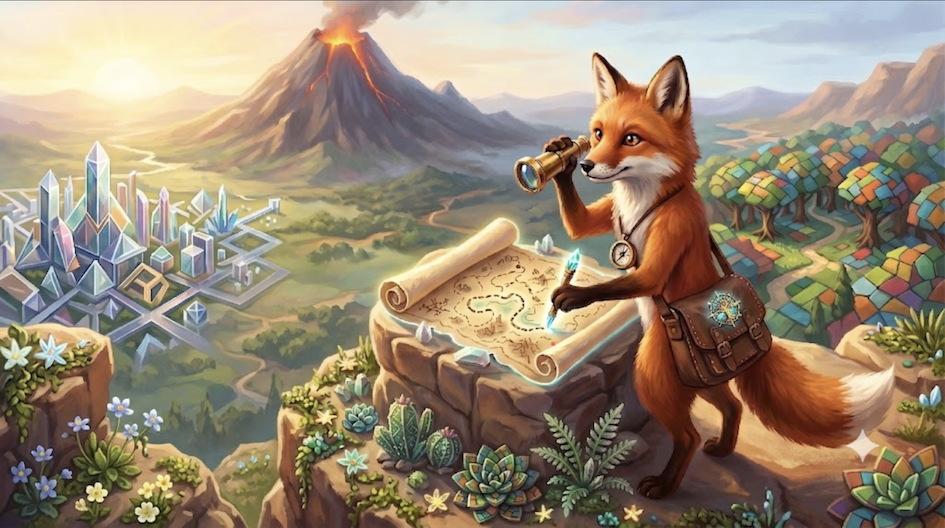
Think of geospatial programming like building something complex: one tool alone won’t get you very far. You need different tools for different jobs, like: managing software, writing and testing code, keeping track of changes, exploring data, and running analyses on your own computer or in the cloud.
In this section, you’ll get a guided overview of the core tools used in modern geospatial programming workflows. You won’t be expected to master them yet. The goal is to understand:
what each tool is used for,
how the tools fit together, and
why this setup supports reproducible and collaborative work.
This overview will help you build a mental map of the workflow you can build throughout this course. In the following lessons and labs, you can gradually start using these tools in practice, one step at a time.
2. Learning Objectives
After working through this section, you should be able to:
Describe what the main software tools are used for in geospatial programming.
Explain how these tools work together in a typical spatial data analysis workflow.
Choose suitable tools for a given task and explain your choice in simple terms.
Don’t worry if this feels abstract at first. These learning goals are about understanding roles and workflows, not about mastering every tool right away. You’ll revisit and apply them throughout the course as you start using the tools in practice.
3. Essential Software Tools
Modern geospatial programming is not built around a single tool, but around a small ecosystem of tools, each with a clear role in the workflow. In this section, you’ll get an overview of six core tools you’ll encounter in Spatial Data Science.
You don’t need to learn all of them at once. For now, focus on what each tool is for and where it fits in the bigger picture.

Package Management: Conda
What it does
Conda manages your Python setup and the libraries your code depends on, especially the tricky geospatial ones.
Think of it like this
Conda is your project environment manager. Instead of having one messy Python installation for everything, Conda lets you create clean, isolated environments. One environment per project or lab.
Why it matters
Geospatial libraries (e.g. for reading rasters or projections) rely on system-level components that are difficult to install correctly. Conda takes care of these dependencies for you and helps avoid the classic: “It works on my laptop, but not on yours.”
What you gain
One environment per project (no version conflicts)
Reliable installation of complex geospatial libraries
Reproducible setups across different machines and operating systems

Code Development: VS Code
What it does
VS Code is your main workspace for writing, reading, and debugging code.
Think of it like this
VS Code is your control centre. It’s where code, notebooks, version control, and debugging come together in one interface.
Why it matters
As projects grow, plain text editors quickly become limiting. VS Code helps you write cleaner code, catch mistakes early, and understand what your program is doing, which is especially important when working with spatial data and larger scripts.
What you gain
Smart code completion and helpful error messages
Integrated debugging tools to step through your code
Support for both Python scripts and Jupyter notebooks
Built-in Git tools for tracking changes
A rich ecosystem of extensions for geospatial work
Version Control: Git
What it does
Git keeps track of changes in your files over time and records how your project evolves.
Think of it like this
Git is your time machine and safety net. You can go back to earlier versions, compare changes, and try new ideas without risking your working code.
Why it matters
Geospatial projects often grow quickly and involve many files, datasets, and experiments. Git helps you stay organised, avoid losing work, and collaborate with others in a structured and transparent way.
What you gain
A complete history of your project
The ability to experiment safely and undo mistakes
Clear collaboration workflows when working with others
A professional standard used in research and industry
Easy sharing and backup through platforms like GitHub

Cloud Computing: Colab
What it does
Colab lets you run Jupyter notebooks in your web browser using cloud based computing resources.
Think of it like this
Colab is a ready to use computer in the cloud. You open a notebook and start coding without installing anything on your own machine.
Why it matters
Setting up geospatial software can be time consuming and hardware intensive. Colab removes these barriers by giving you instant access to a working environment that runs on powerful remote machines.
What you gain
Immediate access with no local installation
Computing power beyond your own laptop
Pre installed Python and geospatial libraries
Simple sharing and collaboration through links
A practical option for working with large datasets

Interactive Analysis: JupyterLab
What it does
JupyterLab is an interactive environment where you can run code, inspect results, create visualisations, and document your thinking in one place.
Think of it like this
JupyterLab is your digital lab notebook. It lets you mix code, maps, plots, and explanations while you explore and refine your analysis.
Why it matters
Spatial data analysis is rarely linear. You try something, look at the result, adjust your approach, and try again. JupyterLab supports this iterative way of working and makes your reasoning visible and reproducible.
What you gain
Code, figures, and explanations in a single document
A flexible workspace for working with multiple notebooks and files
Strong support for interactive data exploration
Easy access to different data formats and sources
An extensible environment for specialised geospatial tools
Containerization: Docker
What it does
Docker packages an entire software environment into a container. This includes the operating system, Python, libraries, and your code.
Think of it like this
Docker is a sealed box that contains everything your project needs to run. If the box runs on one computer, it will run the same way on another.
Why it matters
Geospatial software often depends on complex system libraries that are hard to install consistently. Docker removes this uncertainty and makes sure your analysis behaves the same across different machines and setups.
What you gain
Identical environments across different computers
Simple distribution of complex software setups
Isolation between projects to avoid conflicts
Strong support for reproducible research
A clear path from development to deployment
Takeaway:
Each tool solves a different problem. Together, they form a workflow that supports clean code, reproducibility, and collaboration. You’ll start simple and gradually build up this toolkit as the course progresses.
4. Tool Integration and Workflow
The real power of these tools comes from using them together. Each tool has a clear role, but none of them stands alone. Think of this section as a map of how everything connects.
This workflow can be used in any spatial programming project.
A typical development workflow
Conda sets up your project environment and installs the required libraries
VS Code is where you write, run, and debug your code
Git records changes and keeps your work organised over time
JupyterLab supports interactive exploration, visualisation, and explanation
Google Colab lets you run notebooks in the cloud when setup or hardware is a limitation
Docker makes sure the whole setup can be reproduced anywhere
Each tool solves a specific problem. Together, they support clean code, experimentation, and reproducibility.
How collaboration fits in
In practice, your workflow often looks like this:
Write and structure code in VS Code
Explore data and results in Jupyter notebooks
Track changes and versions with Git
Share code and notebooks through platforms like GitHub or Colab
Run the same environment on different machines using Docker
Keep everything consistent with Conda environments
5. Running Code Examples
You can run all code examples from this Jupyter Book in different ways. Choose the option that best fits your situation and experience level.
Cloud options
If your goal is to read and try examples quickly, use a cloud option. These options work directly in your browser and require no local installation.
Google Colab
Runs notebooks on cloud computers and is ideal if you want more computing power or an easy way to share your work.
https://colab .research .google .com /github /HendrikWulf /sds210 -jb /blob /main Binder
Opens the book examples in a temporary online environment. This is a good choice for a quick look or first exploration.
https://mybinder .org /v2 /gh /HendrikWulf /sds210 -jb /HEAD
Local options
These options run on your own machine and give you full control over your setup.
Conda environment
Uses a local Python environment managed by Conda. You will learn how to set this up step by step in the next sections.Docker
Starts a ready to use environment that behaves the same on any computer. This is useful if you want a reliable and reproducible setup.
This Docker option is not yet set up for this course, but will be implemented later on.
6. Key Takeaways
Here are the main ideas to keep in mind as you move on to the next sections.
Think in workflows, not tools
The real strength of this setup comes from combining tools. Each one solves a specific problem, but together they form a complete and reliable workflow.
Learn progressively
You do not need to master everything at once. Start with the basics like Conda and VS Code. Add more tools as your projects grow in size and complexity.
Reproducibility matters
Managing environments, tracking changes, and sharing setups are essential parts of professional geospatial programming. They help others understand, run, and trust your work.
Stay flexible
Local tools and cloud platforms each have their place. Being comfortable with both allows you to work effectively in different situations and on different machines.
You are learning professional practice
These tools reflect how geospatial programming is done in research and industry. The skills you build here are transferable and long lasting.